
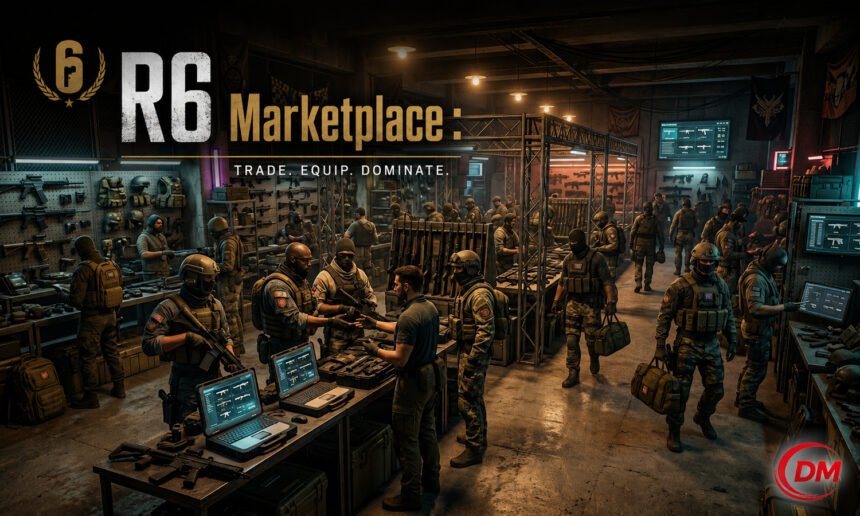
If you play Rainbow Six Siege, you have probably heard about the R6 Marketplace. Maybe your friends are talking about it, or you saw a cool skin someone bought for a low price. Either way, this guide will explain everything you need to know about the R6 Marketplace in simple words.
What Is the R6 Marketplace?
The R6 Marketplace is an official platform created by Ubisoft. It lets Rainbow Six Siege players buy and sell in-game cosmetic items with each other. This includes things like weapon skins, operator outfits, charms, and other cosmetic items.
Before the Marketplace existed, if you wanted a rare skin, you had no easy or safe way to get it from another player. You either had to buy packs and hope to get lucky, or you just could not get it at all. The Marketplace changed that. Now players can trade directly using R6 Credits, which is the official in-game currency.
The Marketplace is not a third-party website. It is built and managed by Ubisoft, so you do not have to worry about getting scammed or losing your account.
When Did the R6 Marketplace Launch?
Ubisoft first announced the R6 Marketplace during one of their Siege updates. It went through a beta phase where only some players could access it. After testing and improvements, Ubisoft opened it to more players gradually.
The platform was designed to give players more control over their in-game items. It also helps keep the Siege community active and interested in collecting cosmetics. Ubisoft built it carefully to make sure the economy inside the game stays balanced.
How Does the R6 Marketplace Work?
The system is simple to understand. Here is how it works step by step:
Step 1: Log In You go to the R6 Marketplace website and log in with your Ubisoft account. Make sure it is the same account you use to play Rainbow Six Siege.
Step 2: Browse Listings Once you are in, you can look through items that other players are selling. You can search by item name, category, or price.
Step 3: Place a Buy Order or Buy Directly If someone is selling an item at a price you like, you can buy it right away. If you want a lower price, you can place a “buy order,” which means you tell the system the price you are willing to pay. If a seller accepts that price, the deal is done.
Step 4: Selling Items If you want to sell something, you go to your inventory, pick the item, and set your price. You can either list it at a fixed price or accept the highest buy order already placed.
Step 5: Payment and Delivery The Marketplace uses R6 Credits. When a trade is completed, the item goes to the buyer’s account and the credits go to the seller. Ubisoft takes a small fee from each sale, which is normal for any marketplace platform.
READ MORE Thorn-Magazine Blog Band: How Indie Music and Creative Stories Come Together
What Items Can You Buy or Sell?
Not every item in the game is available on the Marketplace. Ubisoft controls which items are eligible for trading. Generally, you can find:
- Weapon skins (different colors and designs for guns)
- Operator outfits (costumes for your favorite operators)
- Headgear (hats, helmets, masks)
- Charms (small items that hang on your weapon)
- Bundle items from older seasonal events
Items that are currently available in the main shop or in battle passes may not always be tradeable. The most popular items on the Marketplace are usually older limited skins that are no longer sold by Ubisoft directly. These items can sometimes be very valuable because they are rare.
How Much Do Items Cost?
Prices on the R6 Marketplace change depending on supply and demand. If many people want a skin but only a few are selling it, the price goes up. If many people are selling the same item, the price goes down.
Some common skins may cost just a few hundred R6 Credits. Rare or old event skins can cost thousands of R6 Credits. You can check the price history for each item on the Marketplace, which helps you understand if you are getting a fair deal or not.
It is a good idea to watch prices for a few days before buying. Sometimes a little patience can save you a good amount of credits.
Is the R6 Marketplace Safe?
Yes, it is safe. Because Ubisoft runs the platform directly, all transactions happen inside their system. You do not have to share personal information with other players. You do not send items manually. Everything is automatic and protected.
However, you should always be careful about fake websites that pretend to be the R6 Marketplace. Always make sure you are on the official Ubisoft website. The real address comes from ubisoft.com. Never trade outside the official platform, as those trades are not protected and you could lose your items.
Who Can Use the R6 Marketplace?
To use the Marketplace, you need a Ubisoft account and Rainbow Six Siege installed. There may also be account level or playtime requirements to prevent new or fake accounts from abusing the system.
Ubisoft has set some rules to keep things fair. For example, very new accounts may have limited access until they meet certain conditions. This helps protect the community from bots and cheaters who might try to manipulate prices.
Tips for Buyers
Here are some helpful tips if you want to buy items from the Marketplace:
Check price history. The Marketplace shows you how the price has changed over time. Use this to find the best time to buy.
Use buy orders. If you are not in a hurry, place a buy order below the current price. Sometimes sellers accept lower offers, especially if the item has been sitting unsold for a while.
Look for bundle deals. Some items come with related cosmetics. Compare the cost of buying items one by one versus as part of a bundle.
Do not overpay for hype. Sometimes a skin becomes popular because a streamer wore it. Prices spike quickly in those moments. Wait a few days and the price usually comes back down.
Tips for Sellers
If you want to make credits by selling your items, here is what you should know:
Price check before listing. Look at recent sales for your item. Set your price close to those numbers to sell faster.
Timing matters. Prices often go up during events or when an operator gets a lot of attention. If you have a skin related to a popular operator, try to sell during their peak popularity.
Be patient. If no one buys your item right away, do not panic. You can adjust your price later.
Ubisoft takes a cut. Remember that Ubisoft charges a small transaction fee when you sell. Make sure your price still gives you the amount you want after the fee.
Why Is the R6 Marketplace Good for the Community?
The Marketplace gives players more ways to enjoy the game without spending too much real money. Here is why many players appreciate it:
Fair access to old content. Players who started the game late can now get skins from older seasons they missed.
Earn credits from unused items. If you have skins sitting in your inventory that you never use, you can sell them and get credits for things you actually want.
Player-driven economy. Instead of Ubisoft setting fixed prices, the community decides what things are worth. This feels fairer to many players.
Reduces the need for gambling packs. In the past, players had to buy random packs hoping to get what they wanted. The Marketplace gives players a direct way to get specific items.
Common Problems and How to Fix Them
Item not showing in inventory after purchase: Sometimes it takes a few minutes for the item to appear. Restart the game or log out and log back in.
Cannot list an item for sale: Some items are not tradeable. Check the item details to see if it is eligible for the Marketplace.
Credits not received after a sale: Transactions can take a short time to process. If you wait and still do not see your credits, contact Ubisoft Support.
Cannot access the Marketplace: Make sure your account meets the requirements. If you are a new player, you may need more playtime before you get access.
Final Thoughts
The R6 Marketplace is one of the best things Ubisoft has added to Rainbow Six Siege in recent years. It gives players real choices about how they collect and manage their in-game cosmetics. Whether you are a buyer looking for a specific rare skin or a seller trying to turn old items into credits, the Marketplace makes it simple and safe.
Just remember to use only the official Ubisoft platform, check prices before you buy or sell, and be patient. With a little time and smart decisions, the R6 Marketplace can improve your Siege experience a lot.
Happy trading, and good luck on the battlefield.
Frequently Asked Questions (FAQs)
1. What is the R6 Marketplace? The R6 Marketplace is an official Ubisoft platform where Rainbow Six Siege players can buy and sell in-game cosmetic items like skins, outfits, and charms using R6 Credits.
2. Is the R6 Marketplace free to use? Yes, you can access the Marketplace for free with your Ubisoft account. However, Ubisoft takes a small fee from each completed sale.
3. Can I use real money on the R6 Marketplace? Trades on the Marketplace use R6 Credits, not real money directly. You can buy R6 Credits with real money through Ubisoft’s official store and then use them on the Marketplace.
4. Which items can be sold on the R6 Marketplace? Most older cosmetic items like weapon skins, operator outfits, headgear, and charms can be sold. Items currently in the main shop or locked battle pass rewards may not be eligible.
5. Is it safe to buy items on the R6 Marketplace? Yes. Because Ubisoft manages the platform, all trades are handled securely inside their system. Just make sure you are using the official Ubisoft website and not a fake copy.
6. How do I sell items on the R6 Marketplace? Go to your in-game inventory on the Marketplace, select the item you want to sell, set your price, and list it. When a buyer accepts, the credits are sent to your account automatically.
7. Why can’t I access the R6 Marketplace? New accounts may have limited access until they meet certain playtime or account level requirements. This is to protect the platform from bots and abuse.
8. How are prices decided on the R6 Marketplace? Prices are decided by players. Sellers set their asking price and buyers place their offers. The final price depends on how many people are buying and selling that item at any time.
9. What happens if I buy an item but it does not appear in my account? Wait a few minutes and restart the game. If the item still does not show, contact Ubisoft Support with your transaction details.
10. Can I cancel a sale or purchase on the R6 Marketplace? Once a transaction is completed, it usually cannot be reversed. If you list an item and it has not sold yet, you may be able to cancel the listing. Always double-check your price before confirming a sale.
See more amazing Information, Dupper Magazine